Playground: Child Care App
- 4.9
- Rating
- 100.00K
- Installs
- Free
- Price

 Analysis by App-foxy
When I look at Playground: Child Care App, I see a focused education app built around making child care easier to organize. That sounds modest, but it is exactly where the app’s value lies. Instead of trying to become a broad family platform or an overloaded learning suite, it keeps its identity close to the practical side of caring for children. My overall view is positive: it is a useful, approachable option for people who want a simple digital place for child-care-related coordination, provided they are comfortable with a focused tool rather than a complete replacement for every conversation, calendar, or record they already use.
The app is developed by After School Development and is available free of charge. It is rated for Everyone, which makes its presentation feel suitable for a wide audience, including families and caregivers who do not want a complicated technical setup. Its education classification also makes sense, although I would describe its usefulness as practical and organizational rather than as a traditional lesson-based learning experience. The short store label, “Playground,” is brief, while the broader idea behind it is child care made simple.
What using Playground feels like in everyday child care
The strongest part of the experience is its narrow purpose. Child care often becomes difficult not because one individual task is impossible, but because small details are scattered between messages, notes, reminders, and last-minute conversations. A dedicated child-care app can give those details a more recognizable home. In my view, that is the main reason to try this app: it encourages a more deliberate routine around care instead of leaving everything to memory.
You May Also Like

 Blood Strike: 2.5 Anniversary
Blood Strike’s Loadouts Turn Every Drop Into a Tactical Gamble
A close look at Blood Strike’s custom loadouts: how fast access to signature weapons reshapes its battle royale rhythm, rewards preparation, and narrows the gap between fights.

 Pandora - Music & Podcasts
Pandora’s Music Is Easy to Start, but Harder to Recover
Pandora’s strength is its low-effort path from a seed to a station. Its weak spot is how much confidence it asks you to place in connection, setup, and quiet recovery.

 8 Ball Pool
 Is Built on Rivalries, Rematches, and Routine
A close look at the rivalries, rematches, shared routines, and unanswered safety questions that turn a quick pool match into a persistent mobile community.

 Samsung Music
’s Quiet Strength Is Playing What You Already Own
Its reach comes less from spectacle than from dependable access to a personal library. That simplicity is both the app’s strongest retention engine and its ceiling.

 AccuWeather: Weather Radar
AccuWeather Review: A Quick, Clear Forecast for Everyday Decisions
For everyday plans, the best forecast is the one you can understand quickly. AccuWeather makes rain timing, radar, and local conditions easy to act on, with a few trade-offs.

 Hill Climb Racing
Why Hill Climb Racing Still Turns Crashes Into One More Run
A tiny car, a bumpy hill and one more upgrade: Hill Climb Racing keeps resurfacing because its simple chaos makes every near-miss feel personal.
More From Our News Desk



I would find it most useful during a busy weekday. Imagine a parent preparing for work while a caregiver is handling the afternoon routine. Rather than relying entirely on a series of informal messages, the two people can use the app as part of their shared process, checking the relevant information in one place and returning to it when needed. The benefit is not dramatic automation; it is reduced mental friction. When several adults help with a child’s schedule, even a small improvement in clarity can make the day feel more manageable.
That distinction matters. I would not install this expecting a full educational curriculum, a replacement for a school communication system, or a general-purpose family organizer with every possible household feature. The app’s appeal is more specific. It is designed for the space where care, communication, and everyday organization meet. If that matches your problem, its simplicity becomes a strength. If your needs extend far beyond child care, you may quickly find yourself combining it with other tools.
The free price also lowers the barrier to testing it. I can see why that matters for families, relatives, babysitters, and other caregivers who may not want to commit to a subscription before understanding whether a new routine will stick. A free app is not automatically a good app, of course, but here it supports the product’s central promise: try a straightforward approach without turning a practical need into another financial decision.
A calmer alternative to scattered messages
Compared with ordinary messaging apps, Playground has the advantage of being purpose-built. A chat thread is useful for quick updates, but important child-care information can become buried under unrelated replies, photos, and casual conversation. A dedicated app gives the subject more structure. I would still use direct messaging for urgent matters, but I would prefer a child-care-focused space for information I expect to revisit.
Compared with a standard calendar, the app’s value is that child care is not only about time blocks. A calendar can show when something happens, yet it does not necessarily make the surrounding care context easy to follow. A general note-taking app has the opposite problem: it can store almost anything, but it leaves the user responsible for designing the entire system. Playground sits between those alternatives. It is less open-ended than notes and more care-oriented than a bare calendar.
That middle position is useful, but it also creates a trade-off. People who enjoy building their own systems in a calendar, spreadsheet, or task app may prefer the flexibility of those tools. They can label information exactly as they wish and connect it to other parts of their lives. Playground is better suited to someone who wants less setup and a clearer purpose, even if that means giving up some customization.
One practical tip I would offer is to decide what information belongs in the app before inviting everyone into the routine. If every minor thought is added without a consistent approach, a simple care tool can become noisy. I would keep recurring care information, useful updates, and items that another caregiver may need to check later in the shared workflow. For urgent or sensitive matters, I would still confirm directly rather than assuming that an app entry has been seen.
Where the focused design helps most
The app is especially appealing when several people share responsibility but do not all organize information in the same way. A parent may be comfortable with a calendar, a grandparent may prefer a simpler interface, and a caregiver may mainly need clear, relevant updates. A focused child-care experience can reduce the need for everyone to learn a complicated productivity system. That is a meaningful advantage, because the best tool is often the one people actually remember to use.
I also think the app can help establish boundaries around care information. In a general family chat, school discussion, personal messages, and unrelated plans can all mix together. A dedicated space makes it easier to separate child-care coordination from the rest of daily life. This is not only tidier; it can make handoffs more reliable. When one caregiver finishes and another takes over, a focused record is easier to consult than a long conversation with several subjects competing for attention.
Another non-obvious benefit is psychological rather than technical. Naming the care process and giving it its own place can encourage adults to communicate earlier. Instead of waiting until a detail becomes a problem, they may be more likely to record or review it as part of the normal routine. The app cannot create cooperation by itself, but its purpose can support a habit of cooperation. For families who struggle mainly with scattered information, that habit may be more valuable than a long list of advanced features.
I would also use it as a handoff aid. Before leaving a child with another trusted adult, I would review the information that person needs and make sure the app reflects the current arrangement. After the care period, I would check for updates rather than asking the same questions repeatedly. This workflow is simple, but it turns the app from a passive storage location into part of a repeatable routine.
The limitations I would consider first
My main reservation is that simplicity can become restrictive. A specialized child-care app may feel pleasantly uncluttered at first, but users with unusual schedules or more demanding coordination needs may want deeper controls. If your household already depends on detailed calendars, task assignments, shared documents, or several kinds of reminders, you may still need those separate tools. Playground can support a care routine, but I would not assume it can replace an entire digital household system.
There is also a human limitation that no app can solve: everyone involved has to participate consistently. If one caregiver continues to use text messages, another relies on memory, and a third checks the app only occasionally, the information becomes fragmented again. Before adopting it, I would agree with the other adults on what the app is for and when it should be checked. Without that agreement, even a well-designed tool can add another place to look instead of removing confusion.
I would be cautious about treating the app as the only channel for urgent communication. Child-care arrangements sometimes change quickly, and a person may not notice an update at the right moment. For immediate changes, I would use a direct method and then update the shared care information afterward. That two-step approach may feel less elegant, but it is safer and more realistic than expecting one app to handle every kind of message equally well.
Families who need extensive records, formal institutional workflows, or highly customizable reporting may also find a different category of product more suitable. A school-management platform may be better for classroom notices and official communication. A family organizer may be stronger for household chores, shopping, appointments, and multiple calendars. A messaging service may remain the fastest choice for a quick question. Playground makes the most sense when the central problem is child-care coordination itself, not total life management.
Another point worth considering is the platform requirement. The current version is 3.2.0 and requires Android 8.0 or later. That is a reasonable baseline for many users, but anyone relying on an older device should check compatibility before planning a shared setup. This is particularly relevant when several caregivers use different phones. A care routine works best when the people who need access can all participate without one person being left outside the system.
Who will get the most from it
I would recommend Playground first to parents and caregivers who want a dedicated, uncomplicated place for child-care organization. It should appeal to people who find general productivity apps too broad and message threads too temporary. Families coordinating with grandparents, babysitters, relatives, or other trusted adults may appreciate the focused context. The Everyone age rating also makes the app approachable from a presentation standpoint, although the real fit depends on the adults managing the care routine.
It may be particularly useful for households in transition. A new caregiver, a changing weekly arrangement, or a child beginning a different routine can create a lot of small updates. During those periods, a focused app provides a consistent reference point while everyone learns the new pattern. I would not expect it to remove all adjustment, but it can make the adjustment easier to follow.
I would hesitate to recommend it to someone who already has a reliable, shared system that the whole household uses consistently. Adding another app only helps when it solves a real problem. If your calendar, notes, and messages are already clear and easy to maintain, Playground may feel like an unnecessary extra layer. The free price makes experimentation easy, but free does not mean frictionless; every new tool still requires attention and agreement.
I would also suggest skipping it if you are looking for entertainment, structured academic instruction, or a large learning library. Although it belongs in the education category, my reading of its purpose is practical child care rather than conventional study. Someone searching for language exercises, mathematics practice, or classroom-style lessons should look at a dedicated learning app instead. Choosing the right category of tool matters more than choosing a highly rated app from the wrong category.
The app’s reception is encouraging, with a 4.9 average from around 1.1 thousand ratings and more than 50 thousand installs. Those figures suggest that its focused approach has connected with a meaningful group of users. I would treat that as a positive signal rather than a guarantee. Child-care routines vary widely, so I would still judge it by whether its approach matches the way your family communicates and shares responsibility.
How I would set it up for a real routine
I would begin with the smallest useful group rather than adding every possible participant immediately. Start with the parent or guardian and the person who handles the most regular care. Use the app for the information that causes the most repeated questions, then expand the routine only when that first exchange feels natural. This gradual approach helps reveal whether the app is genuinely simplifying care or merely duplicating another system.
Next, I would establish a clear handoff habit. At the beginning of a care period, the responsible adult checks the current information. At the end, they add any update that the next caregiver should know. The important insight is that the app becomes more valuable when it is tied to a moment that already exists, such as leaving for work or returning home. Asking people to open an app at random is less reliable than connecting it to a predictable transition.
I would also keep the shared information readable for someone who was not part of the original conversation. Avoiding vague references and writing updates with the next caregiver in mind can make a major difference. This is where a dedicated child-care space can outperform a casual chat: the goal is not to recreate the whole conversation, but to preserve the part that another person needs to act on.
Finally, I would review the routine after several days. If people are checking the app and asking fewer repeated questions, it is earning its place. If everyone still returns to a different tool, that is useful feedback too. The right decision may be to use Playground for one specific part of care rather than forcing it to become the household’s only system. A focused app does not need to control everything to be worthwhile.
My verdict after weighing the trade-offs
Playground: Child Care App succeeds because it aims at a recognizable everyday problem instead of trying to impress with a broad promise. Its free availability, approachable age rating, and focused education-oriented identity make it easy to consider. In my experience, the strongest case for it is not that it will transform child care, but that it can give shared care a clearer routine and a more appropriate home than scattered messages alone.
Its weakness is the same quality that makes it attractive: a focused tool may not satisfy people who need a complete family-management platform. It depends on consistent participation, should not be treated as the sole method for urgent communication, and may need to sit alongside a calendar or messaging app. Those are important limitations, but they do not undermine its usefulness for the right audience.
After School Development has produced an app that I would recommend to families and caregivers who value simplicity over endless customization. The release history reaches back to December 7, 2019, and the current version is 3.2.0, giving the product a defined identity rather than the feel of a vague experiment. I would try it when the goal is to make child-care coordination more orderly, then keep it only if the people involved actually adopt the shared routine.
My final recommendation is straightforward: choose Playground when your main need is clearer child-care coordination, not a universal family organizer. For that specific job, it is a sensible free option with a strong user response and an inviting learning-category presentation. For complex scheduling, formal school communication, or broad household management, I would pair it with—or choose instead—a tool built for those tasks. Used within its proper limits, it can make everyday care feel less scattered without pretending to solve every problem at once.
FAQs for Playground: Child Care App
01What features does Playground: Child Care App offer?
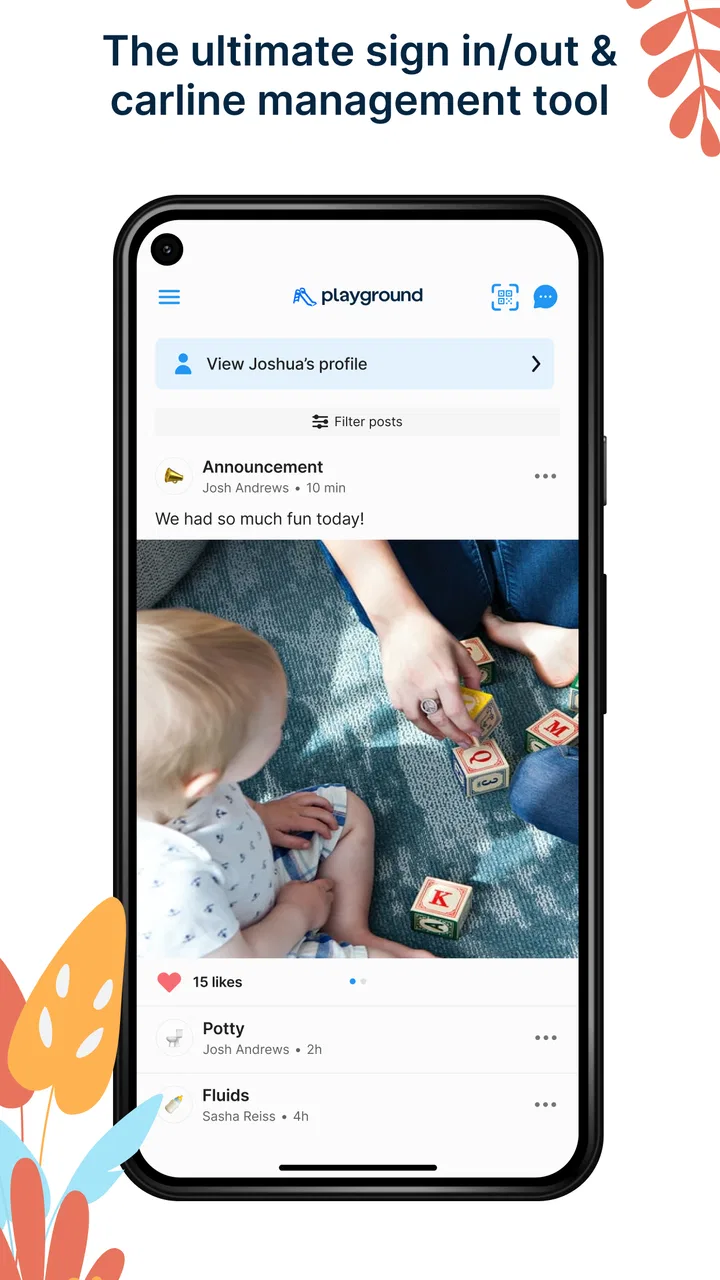
Playground: Child Care App is designed to streamline communication between parents and childcare providers. It offers features such as real-time updates on child activities, secure messaging, digital check-in/check-out, and daily reports. Additionally, it includes a calendar for events and reminders, making it easier for parents to stay informed about their child's day.
02Is Playground: Child Care App secure for sharing sensitive information?
Yes, Playground: Child Care App places a high priority on security and privacy. It uses encrypted data transmission to ensure that all communication and personal information are protected. The app complies with industry standards and regulations to safeguard sensitive data, giving parents and providers peace of mind.
03Can parents track their child’s daily activities using the app?
Absolutely. Parents can receive real-time updates on their child's daily activities such as meals, naps, and playtime. The app provides detailed reports and photos, allowing parents to feel connected and informed about their child's experiences throughout the day, even when they are apart.
04Is Playground: Child Care App user-friendly for both parents and providers?
Yes, Playground: Child Care App is designed with an intuitive interface that is easy to navigate for both parents and childcare providers. It offers simple access to all features, ensuring that users can quickly check updates, send messages, and manage schedules without any hassle.
05Does Playground: Child Care App support multiple languages?
Currently, Playground: Child Care App supports several languages to accommodate diverse users. This makes it accessible to a wider audience and ensures effective communication between parents and childcare providers from different linguistic backgrounds. Check the app settings to see the list of supported languages.
Pros
- User-friendly interface for easy navigation.
- Engaging educational activities for kids.
- Parental control features enhance safety.
- Real-time updates on child activities.
- Customizable notifications for parents.
Cons
- Limited free features without subscription.
- Requires stable internet connection.
- In-app purchases may add up quickly.
- No offline mode for activities.
- Some features can be complex for new users.

Playground: Child Care App
Gallery